
R-vR – a two-in-one solution for instant replay and video refereeing
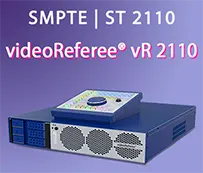
R-vR is a combination of SLOMO.TV instant replay system and FIFA-certified videoReferee® VAR system in one server.
Fully functional hybrid solution
Instant replay system and videoReferee® VAR in one server
Easy to install, easy to manage
Uses the same cameras for both functions, has two completely independent workplaces
This solution is expected to be of particular interest to football organizations, as the same cameras are typically used for both the TV broadcast and the VAR system during football matches.
The small size and light weight of the R-vR server makes it ideal for on-site broadcasting. The included flight case ensures that the system is portable and quick to set up. Moreover, R-vR consumes less power and is easier to connect and install in the arena than two separate servers.
The R-vR solution provides either 8 or 16 SDI I/O channels, supporting from 7 to 15 cameras. The replay and VAR system components share the same video signals and recording channels.
With a range of options to meet the TV production and video judging needs of various sports, the R-vR configuration is an excellent solution for broadcasters, football leagues, and sports organizations that value resource conservation and equipment portability.
Independent Workplaces
To optimize the overall workflow, the R-vR includes 2 completely independent workplaces – one for the replay operator and another for the VAR/video referee, each with 1 monitor. If necessary, the Display Extension Option adds 2 more monitors to the system for a total of 4.

Workflow
Workplace for the replay operator
In the simplest setup, the workplace is equipped with 1 monitor, Control-ZR control panel connected via USB, mouse and keyboard. The monitor is running the Multiskin function that allows switching between several interfaces on one monitor. The replay operator can work with the Main Interface, where video clips are edited and marked up, or the Multiviewer, which is mainly used for instant replays. With the Display Extension Option, there can be 2 monitors connected to the replay operator workplace, so the Main Interface and the Multiviewer are displayed separately.
Workplace of the VAR/video referee
The basic workplace configuration features 1 monitor, Control-VR control panel, and up to 4 referee buttons to mark events and control communication with on-the-pitch match officials. The monitor is fully functional for refereeing tasks, displaying both live and delayed video feeds, and can switch between Referee Out and Main Camera via Multiskin. If the second monitor is connected, the Main Camera and the Referee Out can be displayed separately. If required, clips can be quickly exported through the VAR interface at the end of the match.
Setup example

Options
- For football matches, the R-vR solution can include the RRA option, which allows the VAR interface showing the review in progress to be transmitted to the RRA monitor. When the VAR interface is absent, the monitor displays a background image. The RRA also automatically transmits referee decisions data to Venue Information Graphics systems.
- To further simplify the video refereeing workflow in many sports (basketball, hockey, handball, wrestling, etc.), the R-vR server can be complemented with a wireless monitor option that transmits the referee’s interface to a tablet. Any iOS or Android tablet can be connected to the R-vR system via Wi-Fi and used as a wireless RRA monitor, saving significant time in the officiating process.
Slomo.tv Launcher
Any SLOMO.TV server, including R-vR, can be customized with the Slomo.tv Launcher.
Slomo.tv Launcher is designed for intuitive, task-based configuration of replay and video refereeing systems by non-experts.
With Slomo.tv Launcher you can configure the system to your specific needs and capabilities, supported by your system hardware and software licenses, and use the application to manage projects, fine-tune settings and perform diagnostic tests.
With our solution, the user can personalize the interface layout of each workplace for a more comfortable experience. For instance, the system can be set up to utilize one group of cameras for replays and another for refereeing.
Typically, the user is presented with all available video sources, which can be a problem when there are a large number of signals (e.g. 32), as displaying each signal can be problematic.
Our system supports up to 16 interface layouts for the replay workplace and up to 16 interface layouts for the video referee workplace. For example, the user can set the replay operator workplace to use 12 cameras on one layout and another 12 on a second layout, while the VAR workplace uses only the 8 cameras required by the rules. The user switches between interface tabs independently.
With the Slomo.tv Launcher, the user can tailor interface layouts to their needs by selecting the required channels for each configuration.

| Parameters | Based on the Arrow III | Based on the Arrow V | ||
|---|---|---|---|---|
| Video inputs | ||||
| HD / 3G SDI | 8 | 16 | ||
| Total video inputs (Replay Mode / NLE Recording) | ||||
| HD SDI | 7 / 8 * | 14 / 16 | ||
| 3G SDI ** | 7 / 8 * | 14 / 16 | ||
| Video Outputs | ||||
| Total number | 2 | 2 | ||
| Signal Type | 3G ** / HD SDI | |||
| Options |
|
|||
| Graphics ports | HDMI™, DP | |||
| Video Formats | ||||
| HD SDI |
1920×1080 59.94i, 1920×1080 29.97PsF, 1280×720 59.94p, 1920×1080 50i, 1920×1080 25PsF, 1280×720 50p |
|||
| 3G SDI |
1920×1080 50p, 1920×1080 59.94p, 1920×1080 60p, 1920×1080 119.88i, 1920×1080 100i |
|||
| Simultaneous operational channels | ||||
| HD SDI | 7 Record 7 Search 2 Playback + FX |
14 Record 14 Search 2 Playback + FX |
||
| 3G SDI ** | 6 Record 6 Search 2 Playback + FX |
14 Record 14 Search 2 Playback + FX |
||
| Built-in storage (SSD) | ||||
| 8 TB 66 hours HD DVCPro HD codec at 100 Мbps Optional: 133 hours HD video at 100 Мbps |
16 TB 133 hrs. HD video DVCPro HD codec 100 Мbps Optional: 266 hours HD video 100 Мbps |
|||
| Multiviewer | ||||
| Built-in into main interface | up to 9 video windows | up to 17 video windows | ||
| Separate on second graphics or SDI output | up to 16 video windows | up to 16 video windows | ||
| MultiSkin | ||||
|
MultiSkin mode displays additional interfaces on primary or secondary monitors at the same time so you can switch between the workplaces seamlessly:
|
||||
| Recorded Audio | ||||
| Embedded format | 16 / 24-bit 48 kHz | |||
| HD SDI | Up to 48 channels in Replay Mode Up to 64 channels in Recording for NLE * |
Up to 112 channels in Replay Mode Up to 128 channels in Recording for NLE * |
||
| 3G SDI ** | Up to 48 channels in Replay Mode Up to 64 channels in Recording for NLE * |
Up to 112 channels in Replay Mode Up to 128 channels in Recording for NLE * |
||
| Replay Audio Channels | ||||
| 8 audio channels embedded into SDI video output signal | ||||
| Codecs | ||||
| Basic | DVCpro 50 / DVCPro HD, I-Frame DCT based |
|||
| DMR™ * |
|
|||
| Export (basic) | ||||
| XDCAM422 50Mbit | ||||
| Export (advanced) *** | ||||
|
||||
| Containers | ||||
| QuickTime MOV, MXF, MP4 |
||||
| Video Exchange | ||||
| Network | 10 GbE | 1 GbE | ||
| USB 3.0/NAS | External file storage | |||
| DMR™ RACK | 3 built-in trayless/toolless 3.5" SATA HDD Rack | |||
| Video Standards | ||||
| HD SDI | SMPTE 292M, SMPTE 274 SMPTE 296M |
|||
| 3G SDI | SMPTE 424M / SMPTE 425M | |||
| Controller | ||||
|
Specialized console with push-buttons, T-Bar and Jog/Shuttle (via RS-422/RS-232/USB/Ethernet interface) |
||||
| Time-code | ||||
| LTC (SMPTE 12M-1) | ||||
| Synchronization | ||||
| Support of Tri-level and Black Burst | ||||
| GPIO | ||||
|
2 inputs and 2 outputs for integration with external equipment (Mixer, Switcher, Automation) |
||||
| Power | ||||
| Voltage | 110V/60Hz or 220V/50Hz | |||
| Consumption | 120 W | 160 W | ||
| Physical Parameters | ||||
| Dimensions | 88 mm × 482 mm × 512 mm | |||
| Weight | 12 kg | |||
|
Notes * – DMR™ license required. ** – 3G license required. *** – Export option required. |
||||