
SafeGuard SDX – Quality, flexibility, compact size and low price!
The two-year operation of Safeguard server gave us information that helped improve the product and extend its functionality. Initially Safeguard was intended for backup recording, in case of problems with the main recording devices.
However user experience has shown us that it was used simply as eight-channel recording device for exporting recorded material for NLE. The users have expressed the need of getting NLE files immediately after recording. Another popular wish was to have a compact low-cost carrier in the form of SD-cards, which in the last years showed increased performance, capacity and sharp decline in prices.
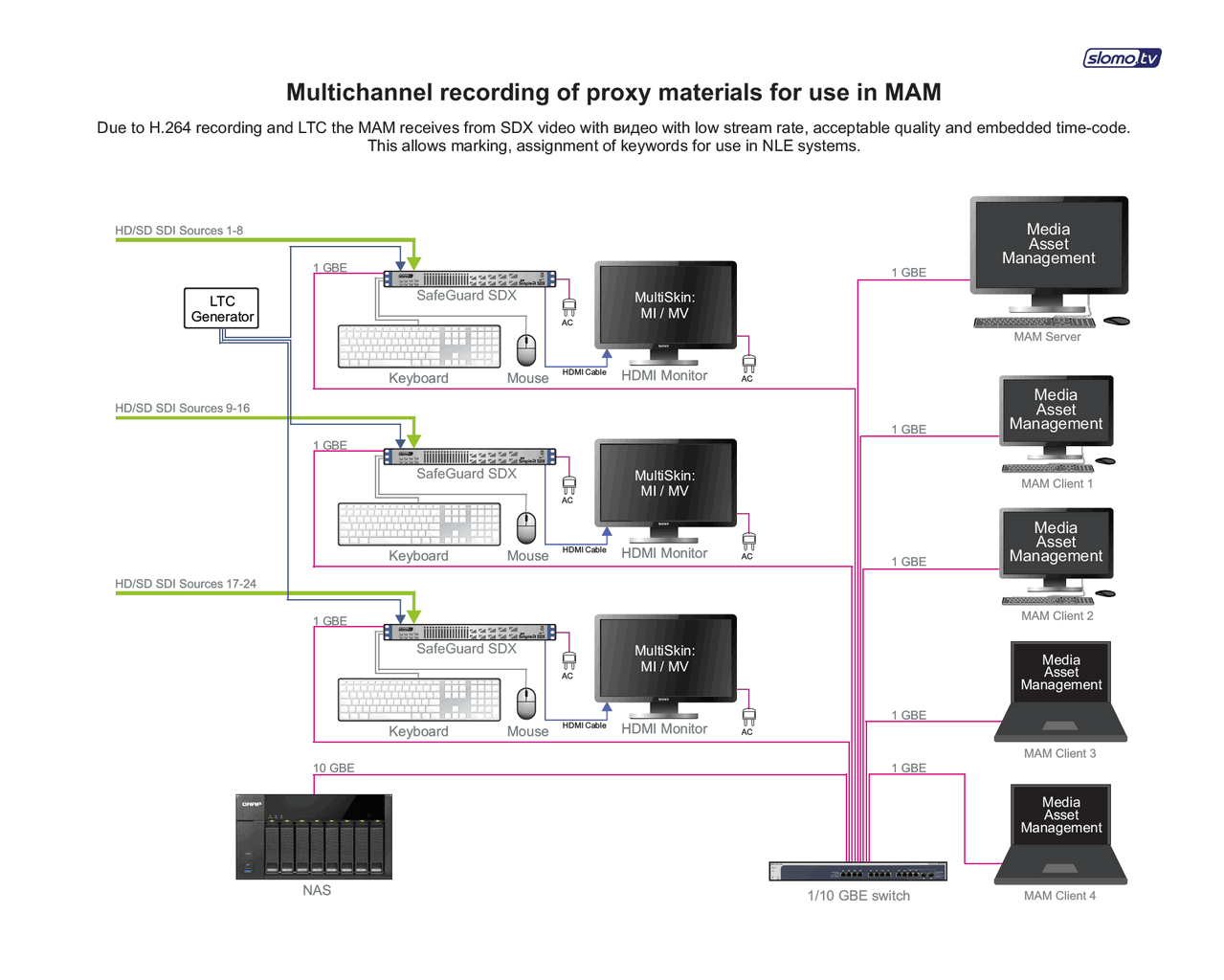
All this led to the idea of replacing the iframe DCT codec, used for recording video in Safeguard, for MPEG Long GOP codec. We selected popular standard H.264 codec. This solution dramatically reduced the amount of disk space required for video recording
All these changes have helped to create a separate new product –SDX.
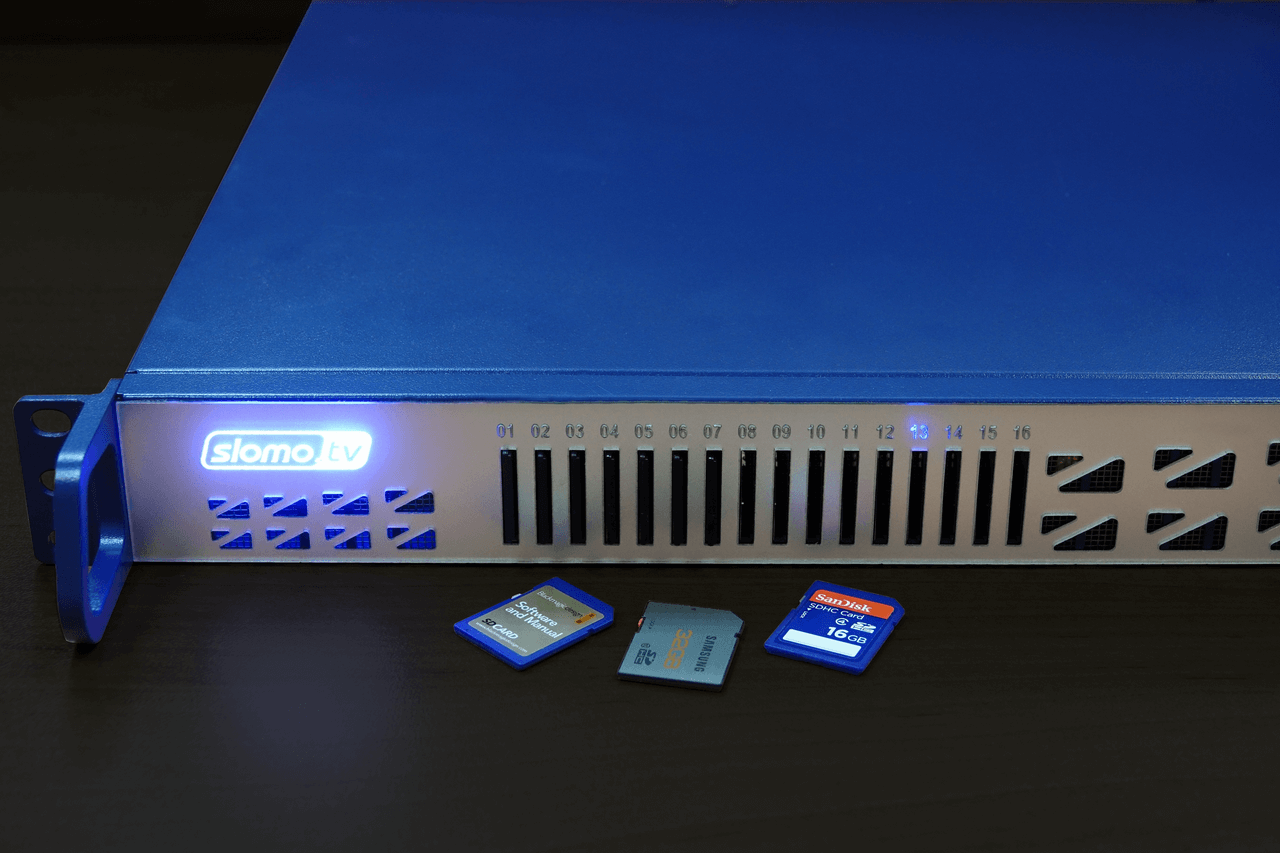
The basic ideas underlying SDX:
- Record video files on SD cards;
- Use H.264 code;
- Record to internal SSD for export (inherited from Safeguard);
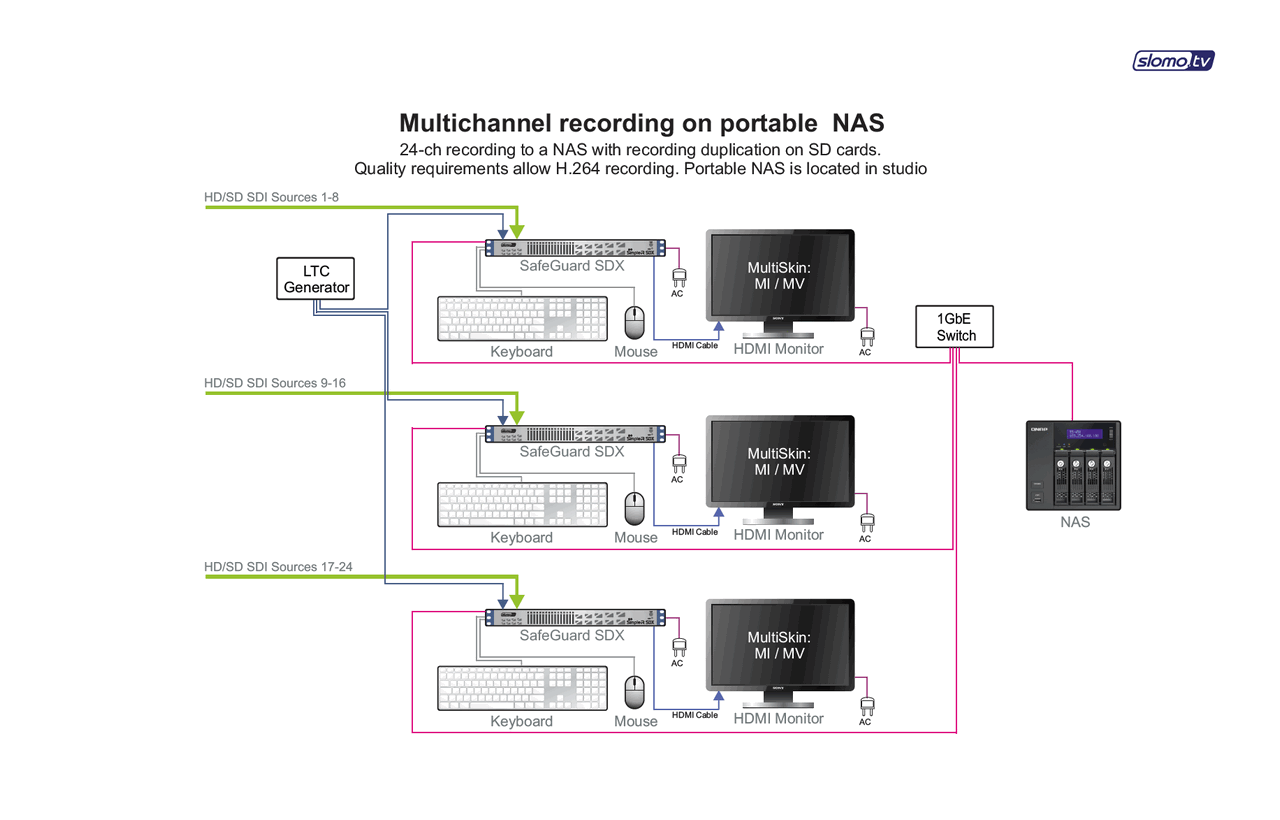
- Record to NAS via 1GbE interface;
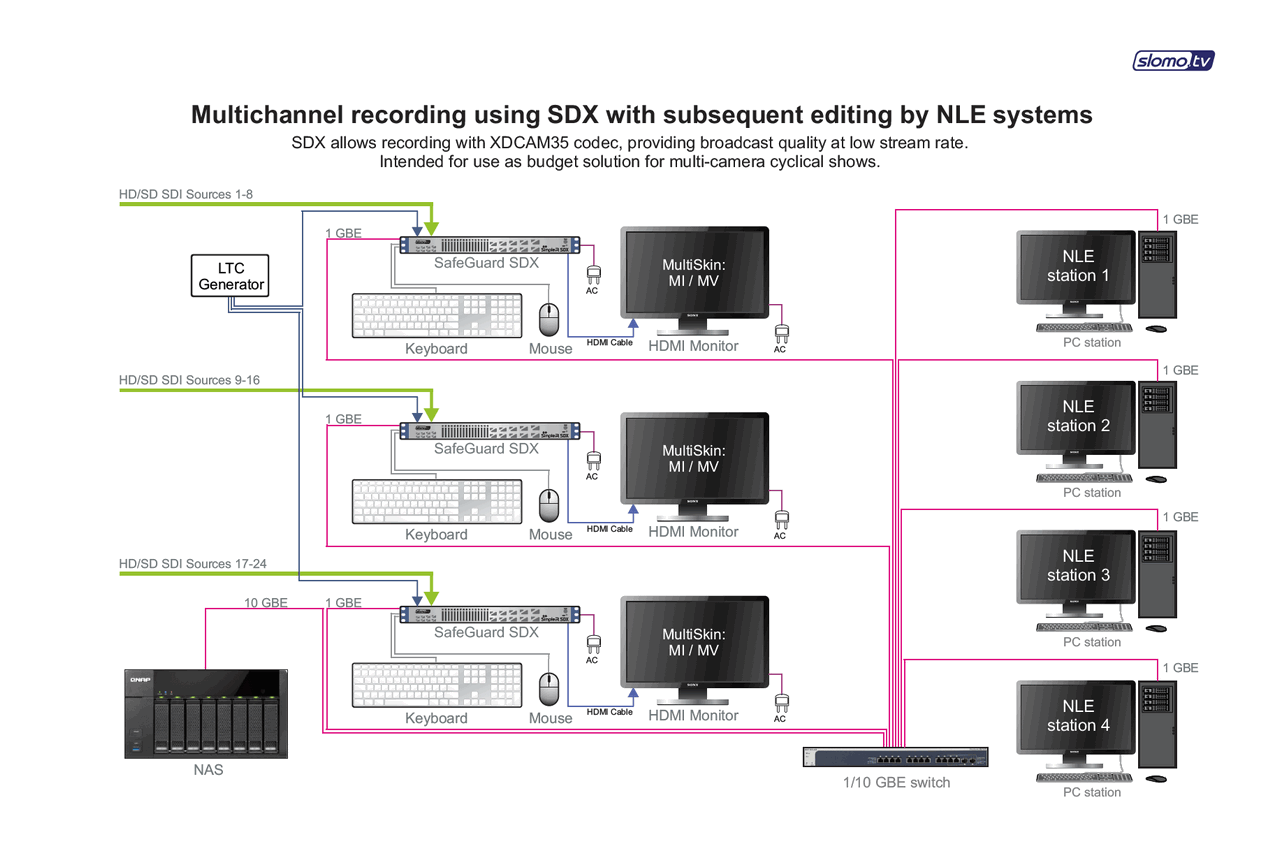
- Use of widespread industry codec XDCAM35.
The server records up to 8 audio channels for each channel of video.
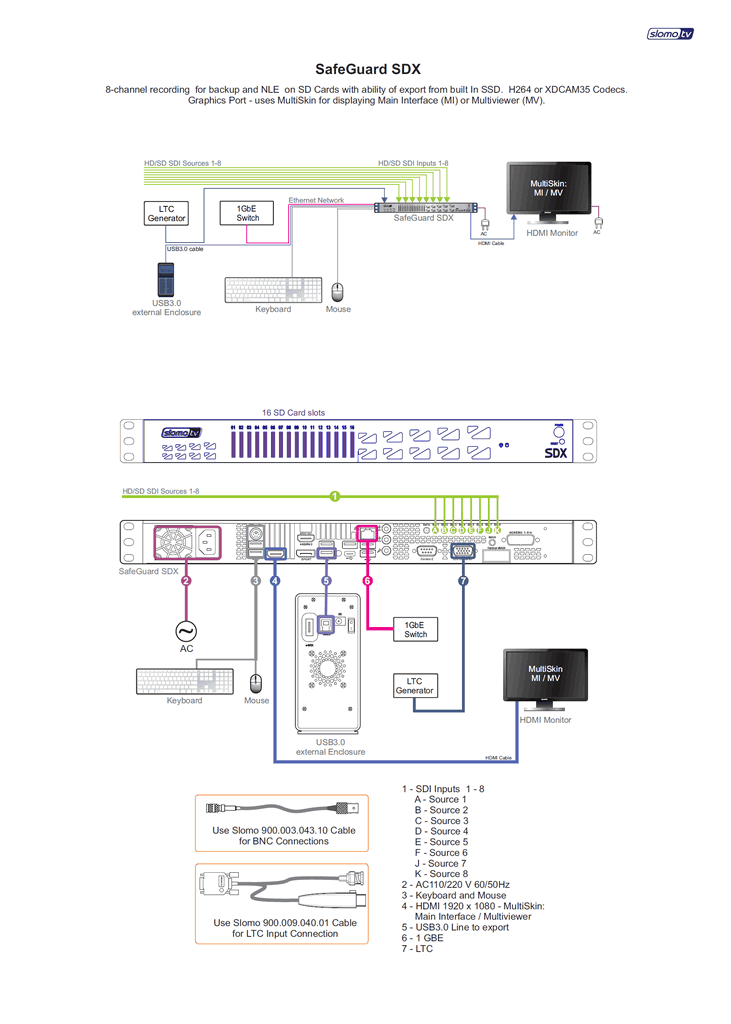
Available USB 3.0 interface provides high-speed export of recorded material to external drive.
As all professional equipment, SDX has an LTC input. This is a must for sharing the recorded video with other equipment. Recorded on SDX video files contain a built-in time code that can be used for synchronization with audio and video channels, recorded by other equipment.
Another extremely useful feature – a built-in multiviewer (MV). MV can be displayed on a separate screen for controlling all incoming signals or, using a single monitor, switched to by Multiskin function from the main interface.
Models
- SDX-4 – for working with 4 channels;
- SDX – for working with 8 channels.
Chassis
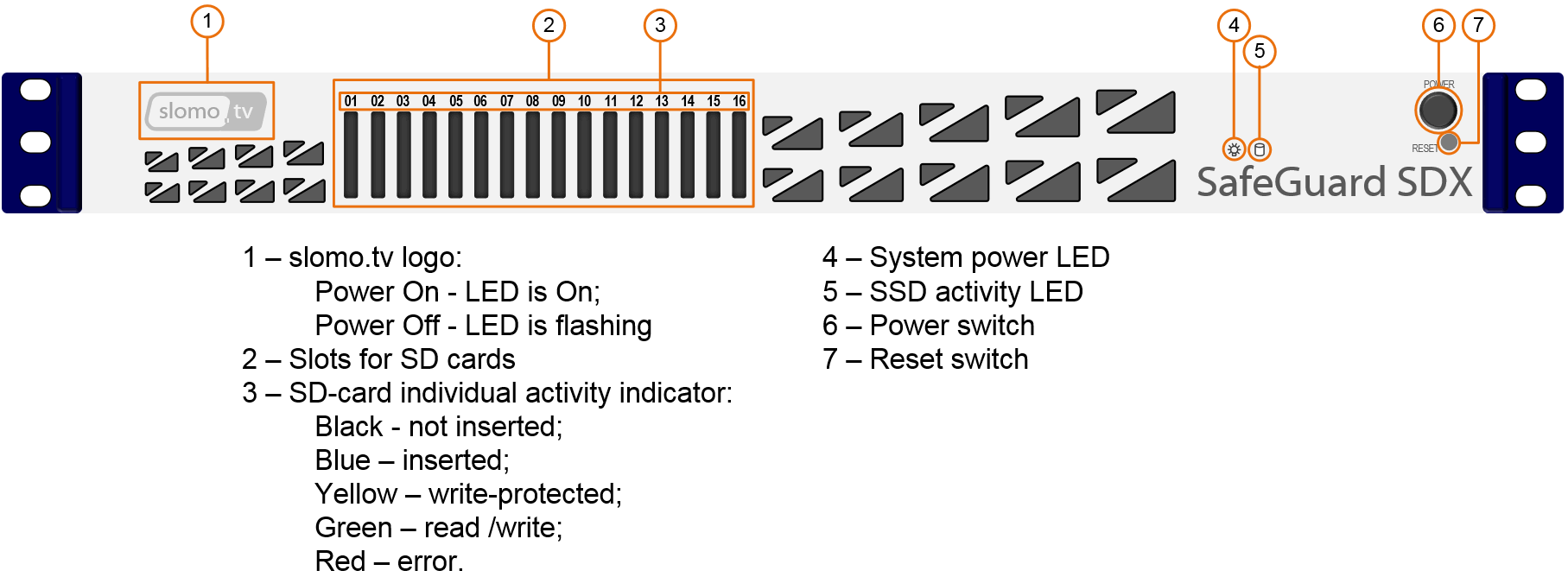
1U chassis with 16 SD card slots on the front panel.
SDX-4 / SDX
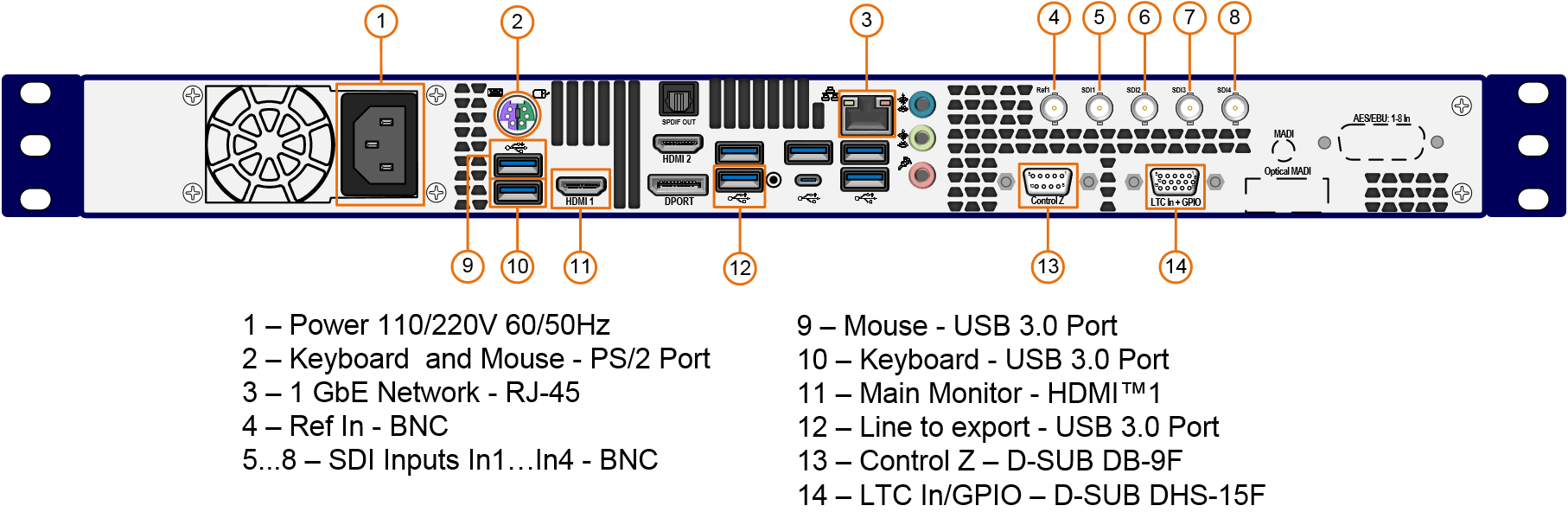
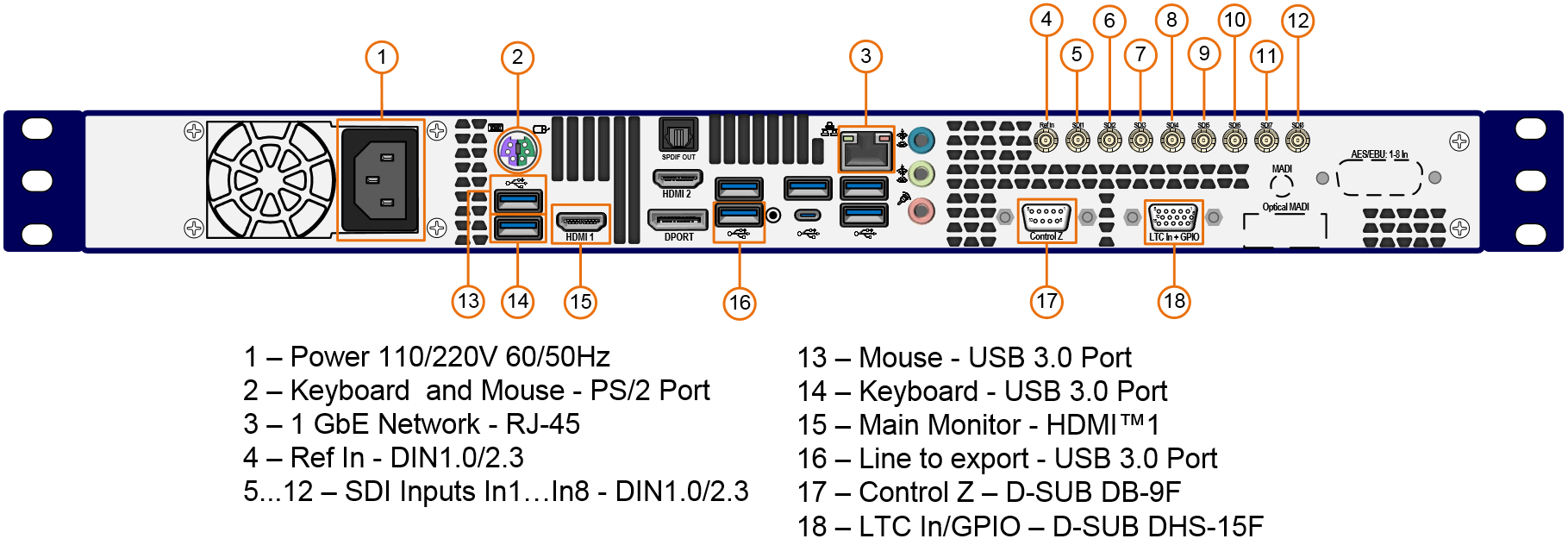
Connections of video signals and interfaces are on the back panel.
SDX-4
SDX
Usage Scenarios
The combination of recording on SD-cards, built-in SSD disk array and the availability of interface for NAS gives the user a variety of usage scenarios:
- Write each channel on a separate card using 8 SD cards.
- Record each channel on 2 cards, using 16 SD cards. This creates 2 sets of cards for NLE and insures the recording regardless of the quality of the card.
- Record up to 18 hours per channel just using internal SSD storage. After that you can, for example, export the Program channel to all 16 memory cards or export only selected channels to the desired number of cards. Also the ability of marking the video after recording allows the user to export only clips.
This unique capability differentiates SDX from all other SD-card recorders, which do not provide export. The user can only copy the recorded content from CD-card.
Availability 1GbE interface makes it also possible to record the video on NAS.
The ability to select a combination of sources and cards for recording allows another scenario. For example, the PRG is being written on 9 SD cards, and the remaining 7 cards record cameras. In this case, the user immediately after the event can distribute the SD cards with the Program and keeps the cards with PEG and cameras for creating a better (edited) version of the event.
Distinctive features and unique capabilities
- 16 slots for SD cards up to 2TB
Modern SD-cards are high-speed, high capacity, compact and economical storage media. Using SD-cards provides easy transfer of recorded material and quick access to it for subsequent editing – just install them in your computer slot. Availability of commercial SD card readers for several cards, lets you edit video from multiple cameras without copying it into the computer. - Internal SSD storage doubles the reliability of the recording Recording is carried out simultaneously on a built-in SSD array and on SD-card. In the event of unforeseen problems with the card, the video is not lost, and will be exported from internal storage.
- In the absence of an SD-card recording continues to the internal SSD
array
- Built-in multiviewer controls all input signals
Multiviewer can be displayed on a separate HDMI™ monitor or operator can use one monitor and switch between main interface and multiviewer. - Selectable combinations of recording channel and corresponding
SD-card
Record any incoming channel to any SD card. - Gigabit Ethernet for NAS recording and efficient use of recorded material by
non-linear editing systems
It extends the use of SDX not only as a mobile stand-alone recorder, but also as part of a studio production. - Flexible export – export of any channel can be assigned to any
SD-card
- Use as a duplicator
Recording on the internal SSD array allows export of selected channels to the desired number of cards for quick duplication.
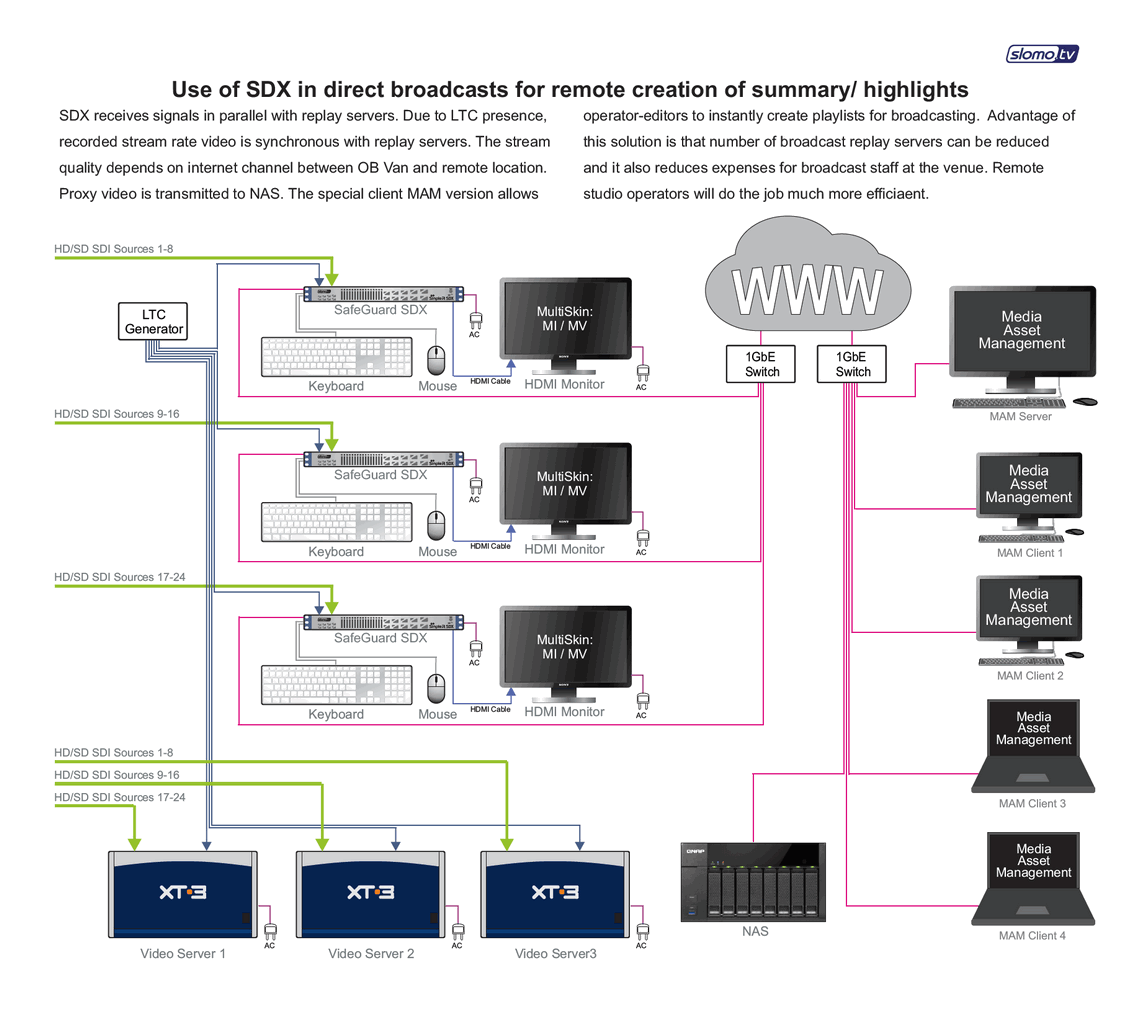
Export is carried out simultaneously to all cards. The speed depends on the speed of used SD-cards. - Scaling of input HD video to SD or lower resolution for use as Low-res Proxy SDX to be used for remote video production via Internet