
DMR™ Station – for working with 3.5" SATA drives

At the end of the 20th century all television production was based on removable media – videotapes. Videotapes were convenient due to compact size, but could not store large amount of video. In our development of DMR™ technology and "tapeless" video production we introduced a different media – the 3.5" SATA hard drives which stored ten times more data and also allowed instant positioning on the video material.
When recording only 4-6 channels the situation was quite simple, it took just 2-3 DMR™ disks. But TV production companies liked to record a large number of video channels and our servers provided this ability.
The question of how to work with many SATA disks was answered by introducing the DMR™ Station?
It is not just a device for working with a large number of 3.5" SATA drives, but also a basis for a variety of solutions in file-based video production.
DMR™ Station provides fast, without the use of tools or special trays, connections of 9-15 HDD to systems equipped with interface SAS 6G. The use of high-speed 6G SAS interface provides transfer rates up to 1700 MB/sec between the media in the DMR™ Station and external device.
Examples of DMR™ Station use
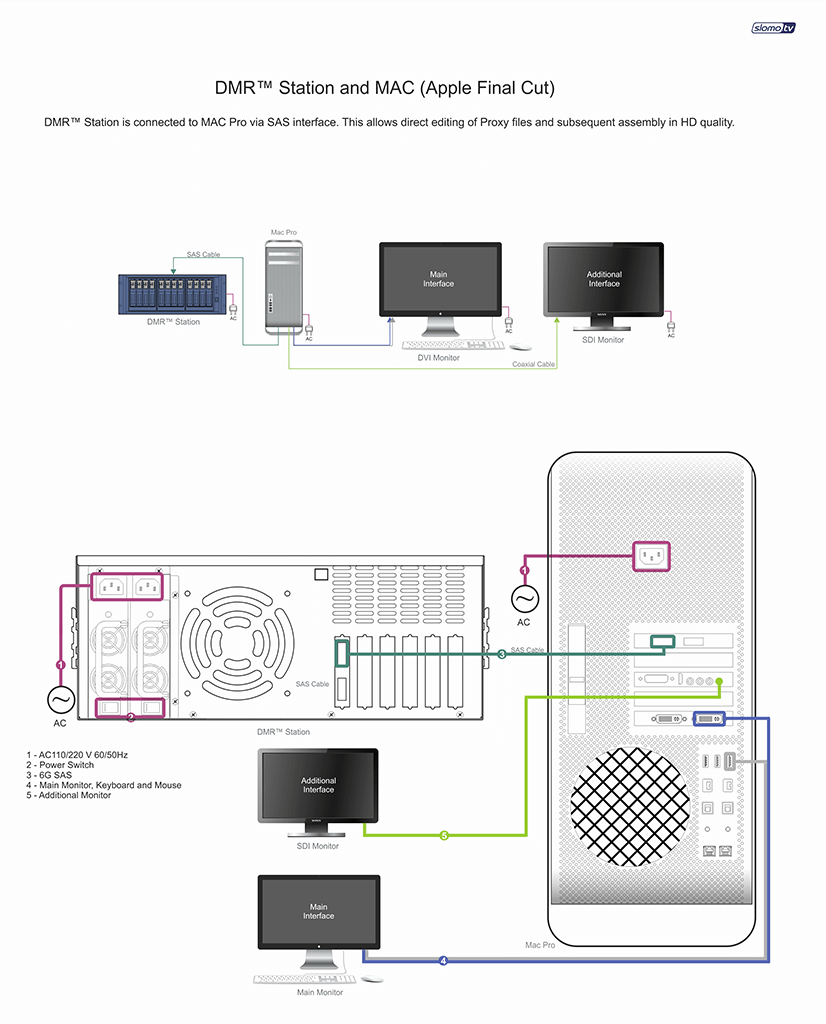
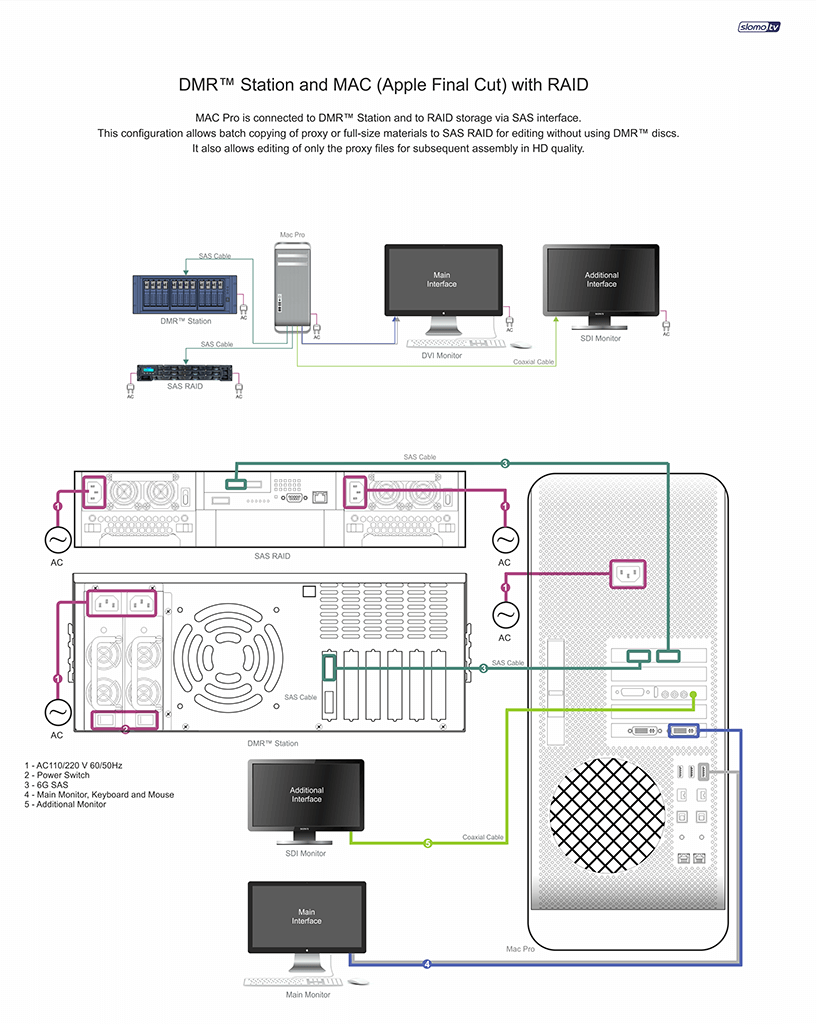
When used in conjunction with non-linear editing stations, DMR™ Station allows you to connect directly to NLE station from 9 to 15 DMR™ disks with video material. Working with HD, one DMR™ drive allows recording of two HD channels and their SD Proxy. I.e. the user can connect to a single NLE system from 16 to 30 HD video channels and edit without having to rewrite the video to RAID storage.
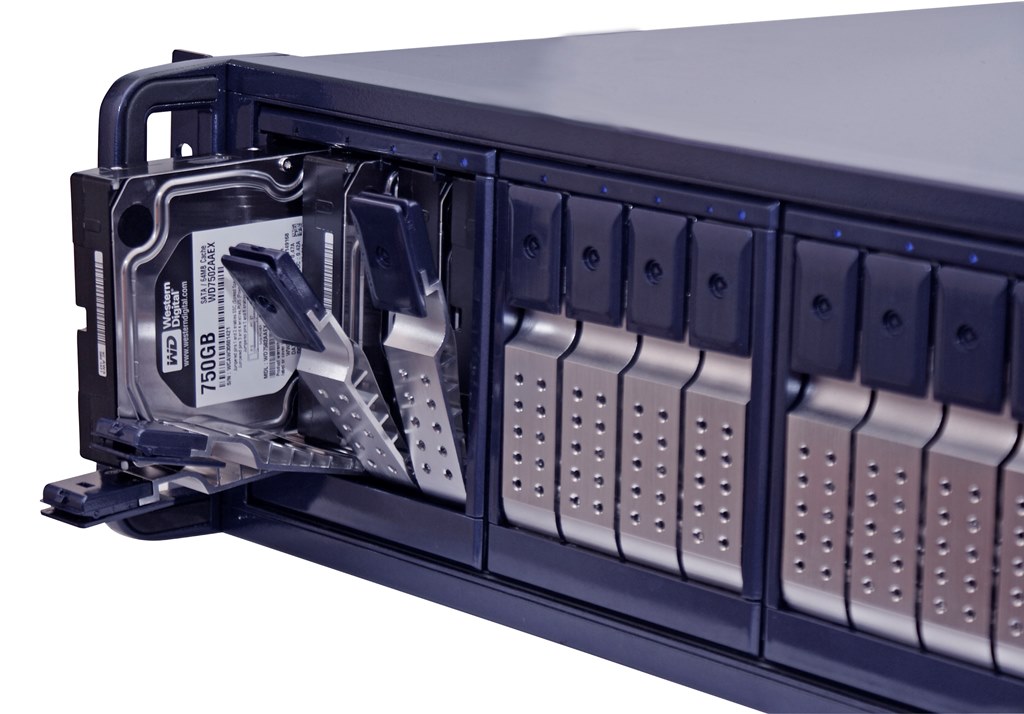
It is very convenient and is easy to do. All is needed is free PCI-E x 8 slots in the NLE system and the DMR™ Station!
As mentioned above, the 1700 MB/sec performance gives the opportunity to work with a large number of high-quality HD video streams – up to 30 channels of HD Apple ProRes 422 (HQ). And use of a single disk for recording two HD video channels and two channels of SD Proxy (or 3 HD channels), eliminates the effect of positioning the hard drive heads for interactive editing. Simply put – there are no delays because of the disk subsystem!
If the processing power of the NLE system is insufficient, the editor may use for editing the Proxy files that are located on the same disk. Then, after SD Proxy editing is approved by the director, the system can rebuild the editing using HD sources (Reconnect Media procedure for Apple Final Cut Studio). Since all the materials are available on the same disk, nothing needs to be copied. Final HD version in highest quality is produced automatically.
The fast exchange of SATA drives in the DMR™ Station is another advantage of using DMR™ technology without copying the original video to RAID. The toolless/trayless replacement of disks takes several minutes and enables a rapid switch from editing one show to the next.
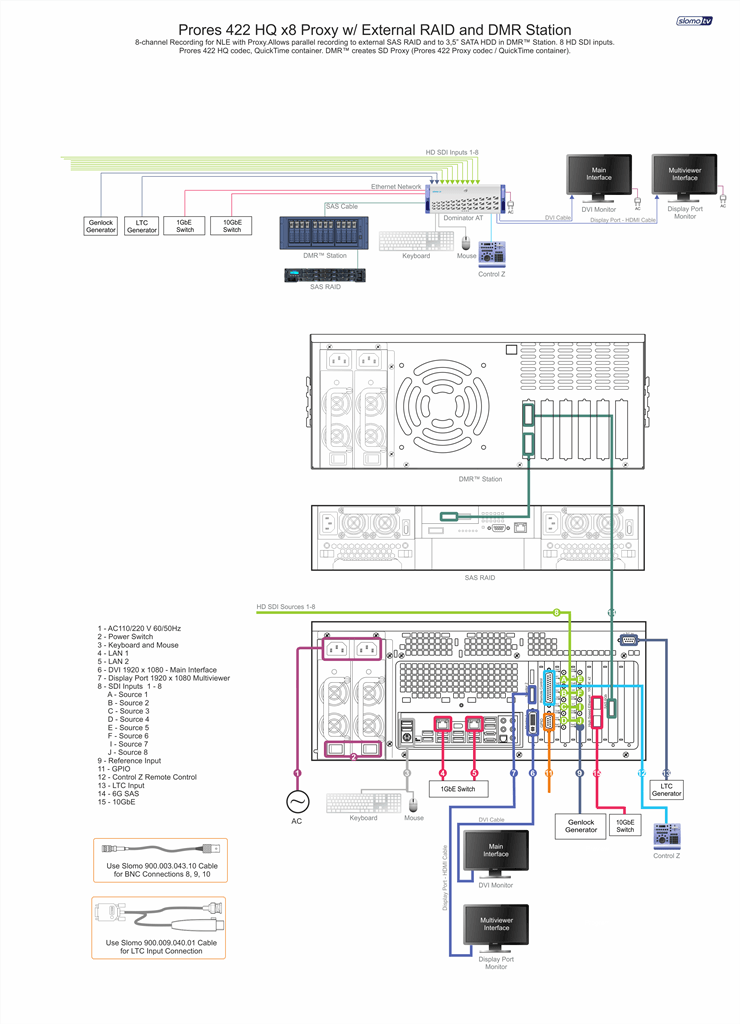
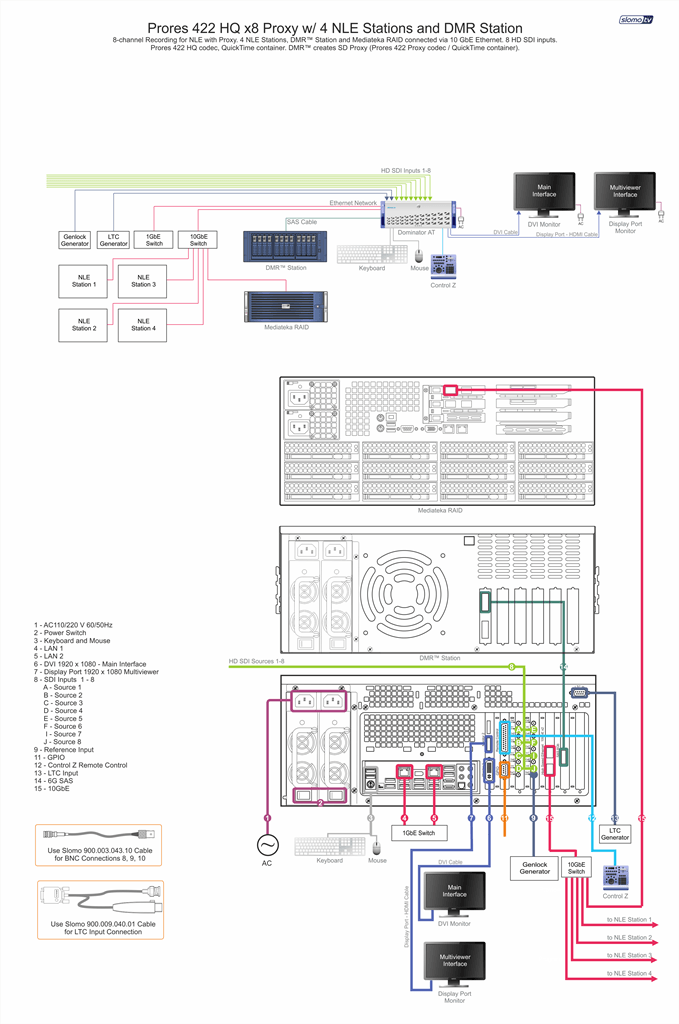
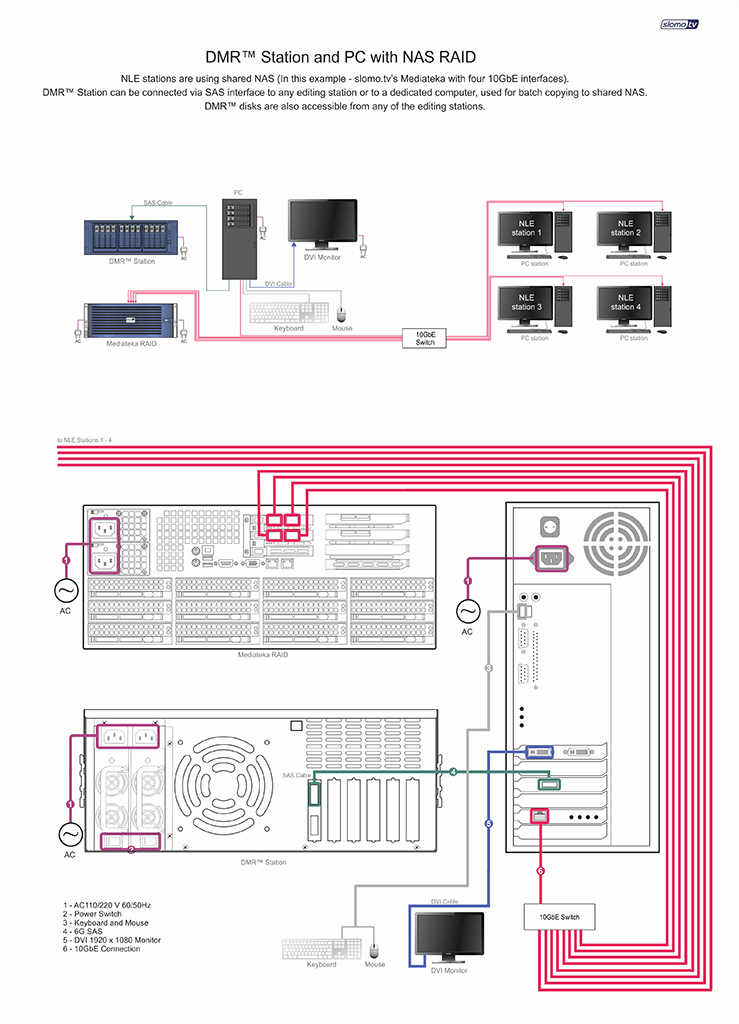
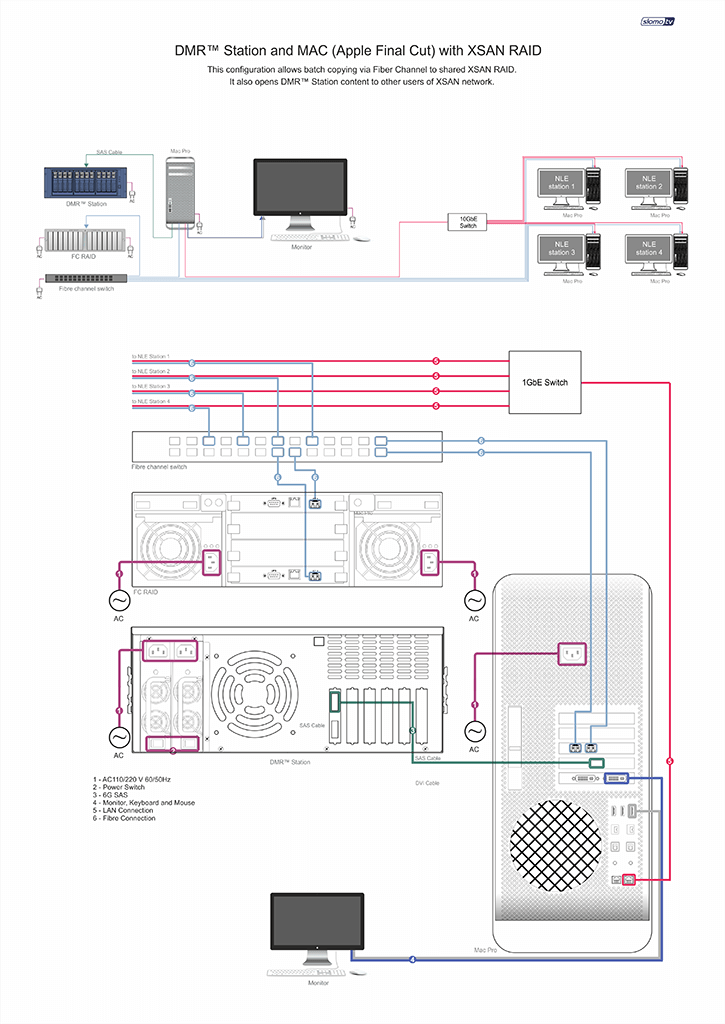
In case of editing over the network, when multiple editing stations have access to the same materials, a different scheme is used. DMR™ Station is connected to special Ingest workstation for batch-copying of files to an external RAID (Media file server). Due to the high transfer rate (1700 MB/sec) the copying is very fast and is performed simultaneously in parallel from all disks. In this mode the Ingest workstation must be connected to Media file server via high-speed interface – 10 GbE Ethernet or Fibre Channel.
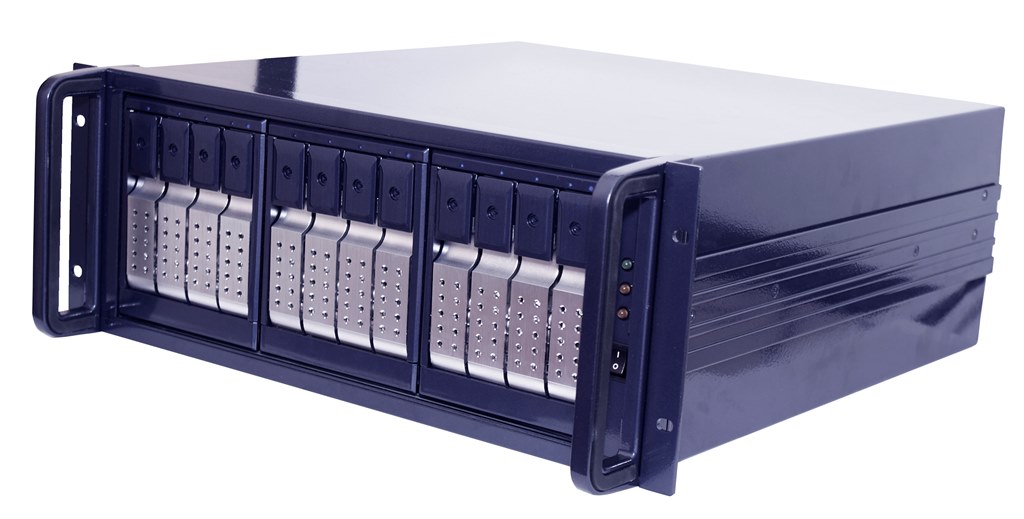
Another possibility is copying only SD Proxy files to the file server. In this case, copying of the necessary materials for editing is very quick, and the files do not take much storage space. The editor works with SD Proxy and after generating the Edit List the final HD version is compiled automatically from original disks with the source material.
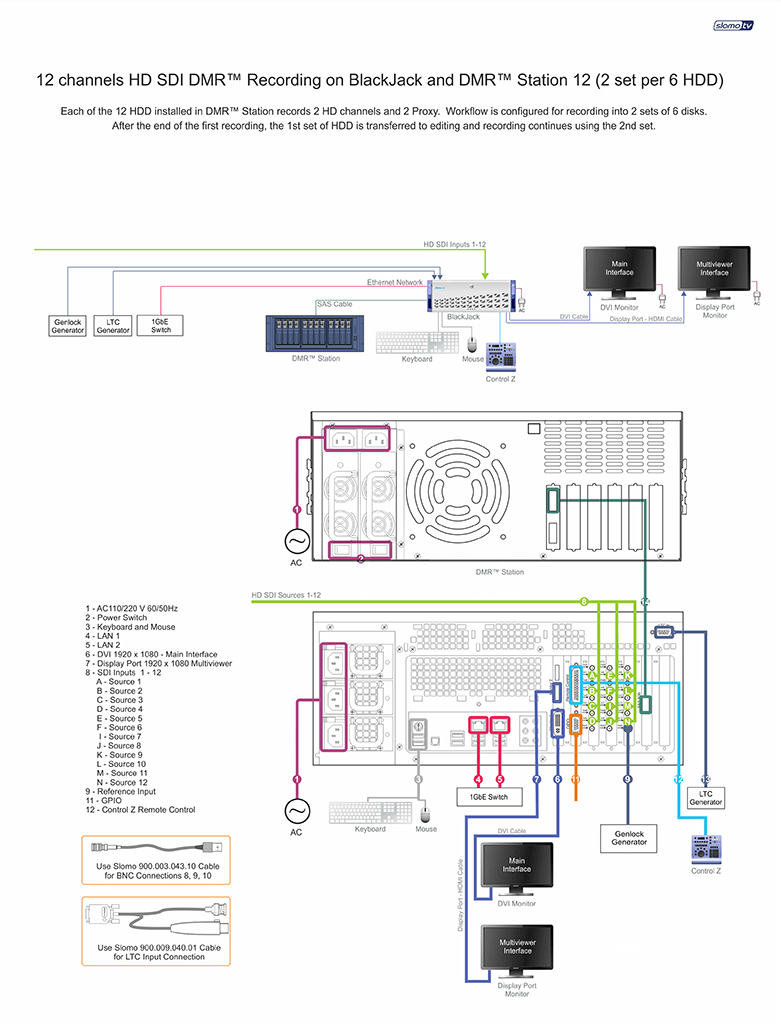
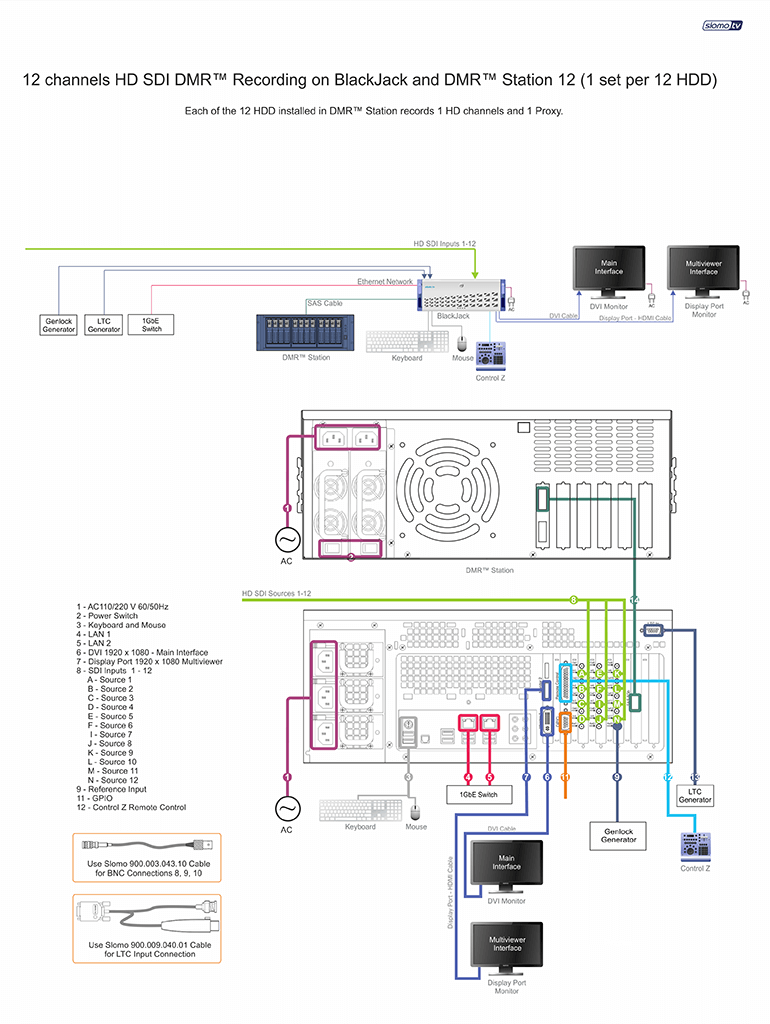
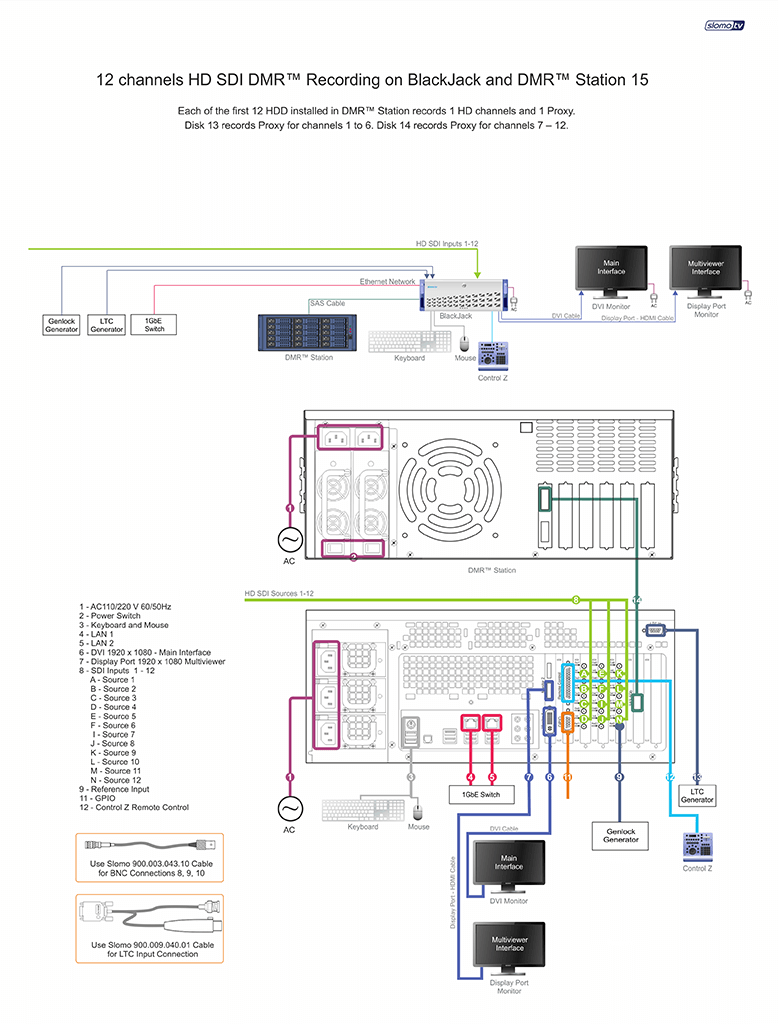
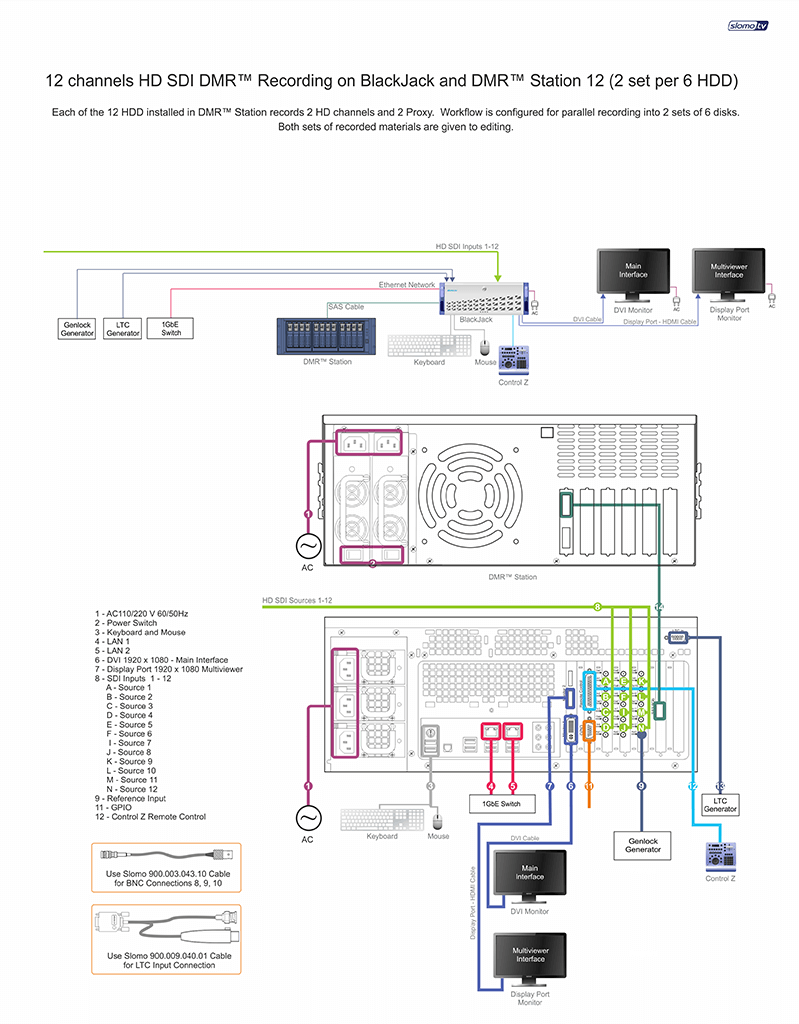
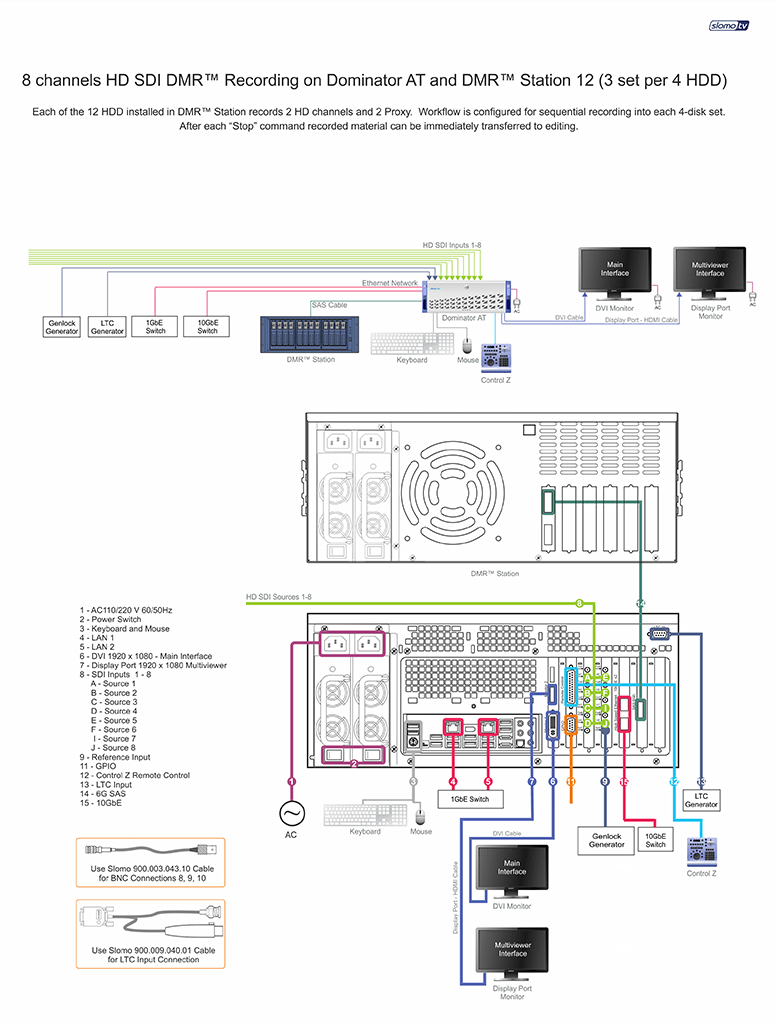
When DMR™ Station is used in conjunction with slomo.tv server, the server is able to write to 9, 12 or 15 DMR™ drives. This provides flexibility in configuring recording channels and flexibility in the use of the disks themselves. There are various options. For example, each channel is recorded on a single disk. Alternatively, one or two drives can be dedicated to Proxy files and HD material is written on remaining drives. Thus it is possible, for example, to record identical Proxy files on two drives for two different editors. Another option is that all 8 channels are written on disks 1 to 4, and after the first stop, these drives are given to editing. Recording continues on drives 5 to 8. This convenient technique in professional slang is called "hockey".
For example, the BlackJack AT server has only 4 built-in DMR™ bays capable of recording up to 12 HD channels, or 8 HD channels and 8 SD Proxy. To record all 12 HD channels along with their Proxy is impossible. This problem is easily solved by using DMR™ Station, which lets you record 12 or 16 channels in any combination, and provide DMR™ files for editing.